A client recently had problems with an IIS website. The website was serving only static image files. No dynamic pages created by a rendering engine. But all requests for this website were returning a 500 Server Error. I traced the problem to an ISAPI filter installed by ColdFusion. (Yes, ColdFusion is still a thing.)
ColdFusion is a Java application and uses Apache Tomcat to render its web pages. To interface with IIS, it installs an ISAPI filter to proxy requests from IIS to ColdFusion’s Tomcat engine. The IIS sites for the ColdFusion pages were working fine, but the site for the static image files was reporting an error that it could not load the ColdFusion ISAPI filter. This caused Windows to shut down the IIS worker processes and return a 500 Server Error. The cause was likely a configuration error for the ColdFusion Tomcat Connector. Since the website didn’t need to use ColdFusion, the client’s preferred to simply remove the Tomcat ISAPI filter for the site. However, IIS Manager was not allowing the filter to be removed.
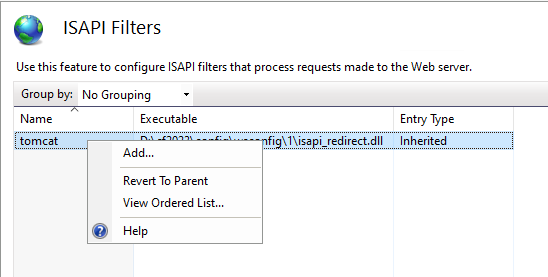
To understand why the ISAPI filer could not be removed requires digging into the structure of the IIS configuration.