
There are times I need to get the list of the IP addresses – usually just IPv4 addresses since use of IPv6 addresses is still not widespread yet – on a Windows server. There are various ways to do this. One of the simplest is to use ipconfig. This is a command-line utility that has been a part of Windows since the early days. Without any options, it returns the IP addresses and subnet masks for every network adapter.
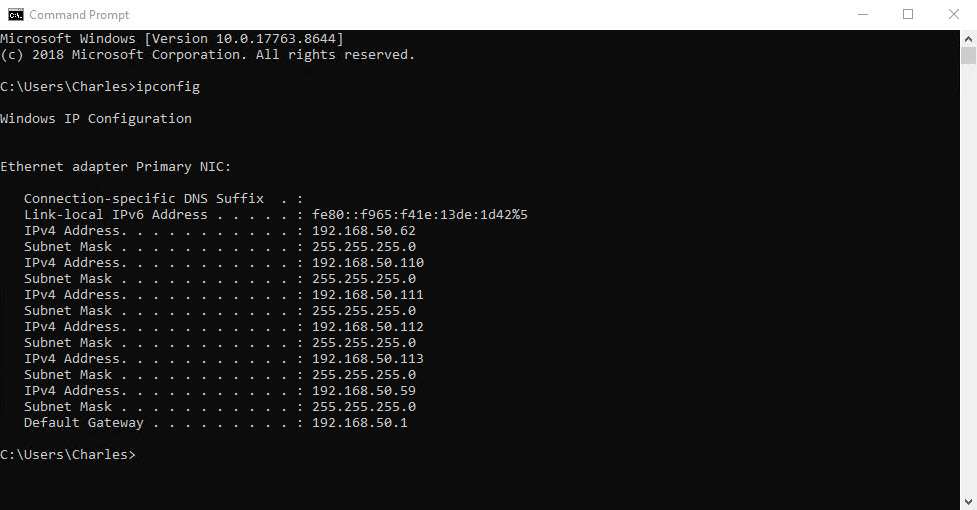
Note the link-local IPv6 address includes a scope id (% followed by the network adapter id). Because link-local addresses are not guaranteed to be globally unique, the scope id is used to identify the network adapter used for the address. This is important on systems with multiple network adapters.
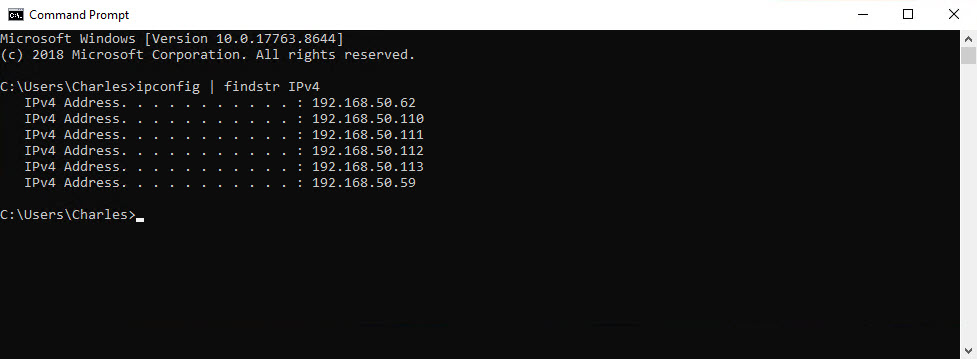
If all you’re interested in is just a list of the IP addresses, the output can be filtered using findstr (the Windows version of grep). This example filters the output to list only IPv4 addresses. To include both IPv4 and IPv6 addresses use “Address” in place of “IPv4”.
PowerShell can also be used to list the IP addresses. Get-NetIPAddress returns information about all IP addresses, including the loopback addresses which are not listed by ipconfig. Without any parameters, the information is returned as a formatted list. When there a more than a couple of addresses, it often better to use a formatted table.
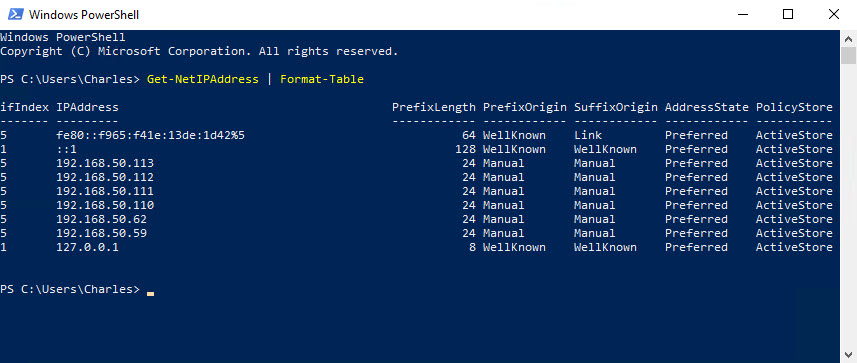
It doesn’t return the subnet mask, only prefix length used for CIDR (Classless Inter-Domain Routing) notation. While there is a SubnetMask property, it’s always null.
Get-NetIPAddress reads the IP addresses from WMI, specifically the MSFT_NetIPAddress class. This works well – most of the time. But if corruptions or inconsistencies creep into the WMI repository, Get-NetIPAddress will throw an error instead. As a lower-level utility, ipconfig doesn’t use WMI. It reads the IP addresses directly from the network stack, which means ipconfig always works.
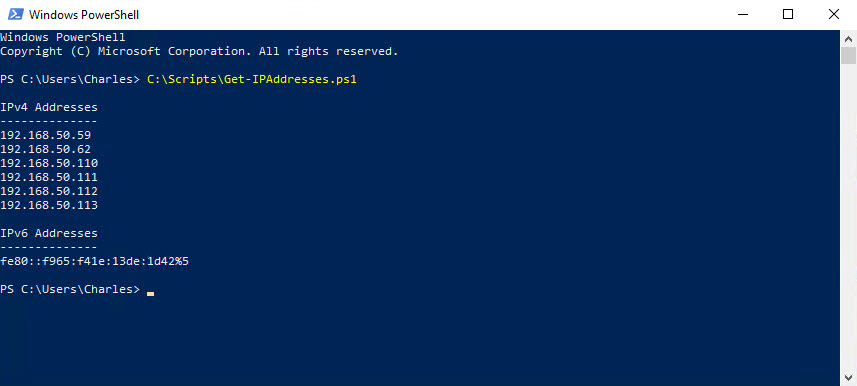
For this reason – along with the lack of the subnet mask – I tend to avoid using Get-NetIPAddress in favor of ipconfig. But it doesn’t mean I can’t PowerShell. I wrote a script – Get-IPAddresses.ps1 – that uses ipconfig to output the list of the addresses. This discards everything except the address, with IPv4 and IPv6 addresses in separate lists sorted in ascending order.
The one thing ipconfig doesn’t include, which Get-NetIPAddress does, is the state of the SkipAsSource flag. When set, the IP address is not used for an outbound connection unless explicitly specified as the source address for the network socket. This is often used to prevent an IP address from being chosen as the default source address when multiple address are bound to same network interface.
How Windows chooses the default source address.
The default source address will be the lowest address on the network interface used for the outbound connection in the same subnet as the gateway address. In these examples, the server has one network interface with five IPv4 addresses. As all outbound traffic is sent over this network interface, Windows would normally choose 192.168.50.59, using the lowest address rule, as the default source address. But because SkipAsSource is set for this address, it cannot be used as the default source address. Instead, the next lowest address – 192.168.50.62 – is chosen as the default source address.
When ipconfig lists the IP addresses, the address that is used as the default source address is always listed first. In this case, 192.168.50.62. As SkipAsSource is set for 192.168.50.59, it is listed last. This is not the case for Get-NetIPAddress which lists addresses in descending order.
The state of SkipAsSource for an IP address can be found using the netsh command-line utility. This requires use of the verbose level option as it not shown in the normal output.
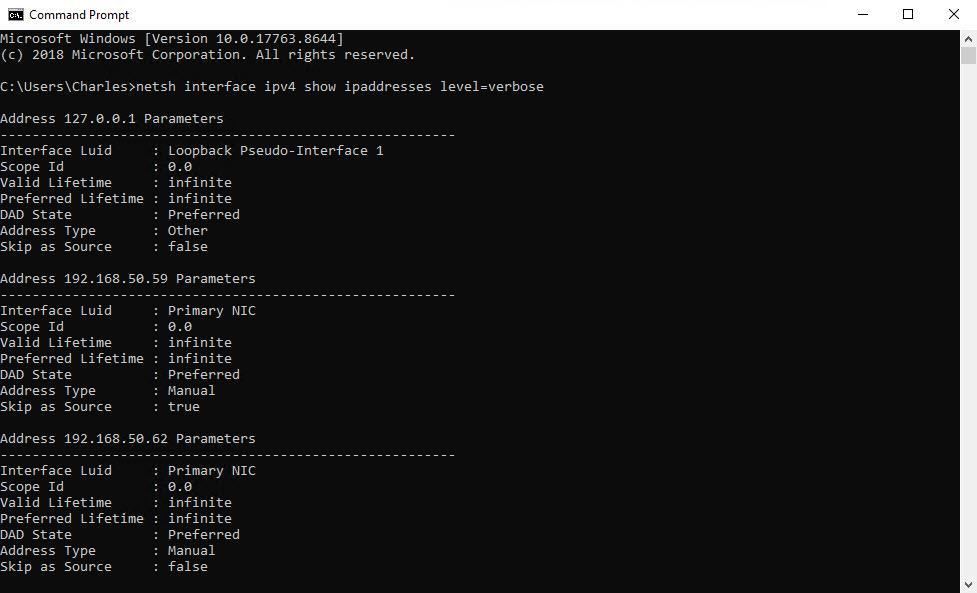
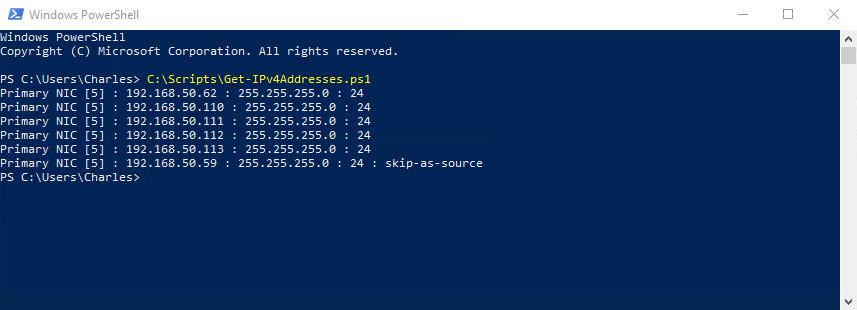
Using netsh along with ipconfig, I wrote another PowerShell script – Get-IPv4Addresses.ps1 – that lists additional information about each address in the following format:
Network Adapter [ID] : IPv4 Address : Subnet Mask : CIDR Prefix [: skip-as-source]As the name suggests, it only provides information about IPv4 addresses. Addresses are listed in the order returned by ipconfig which means the first address listed for a network adapter is the default source address for that adapter. The skip-as-source label is only added if SkipAsSource is set for the IP address.
The scripts are distributed in a zip file available here.
Leave a Reply